
Network Cabling Solutions in Tampa Bay, FL
 TSS USA — BICSI Corporate Member®
Your Cameras, WiFi, and Phones Share the Same Cable Runs. Nobody Knows What Goes Where.
The Tampa Bay region spans four counties and dozens of distinct commercial markets — from downtown Tampa's Westshore high-rises to Clearwater's hospitality and medical corridor, from Sarasota's arts-adjacent office district to the Polk Parkway industrial parks in Lakeland. TSS USA handles network cabling across this entire footprint, and the breadth of building types and industries we work in shapes how we approach every project.
The core spec decisions don't change by geography. Cat6 handles standard office workloads, gigabit switching, and PoE+ devices throughout the region.
Cat6A is the right choice for high-density wireless deployments, 8023bt Type 4 PoE devices, 10-Gbps-ready installations, and any large-floor-plate commercial or industrial building where run lengths approach the 100-meter channel limit. Every run, in Tampa or Tarpon Springs, Sarasota or Safety Harbor, gets Fluke DSX certification before we close out a job.
What changes across the Tampa Bay market is the building stock and permitting jurisdiction. Historic masonry in Ybor City and the Sponge Docks requires different routing approaches than new construction in Riverview or Brandon.
Hillsborough, Pinellas, Manatee, and Polk counties each have their own building department and permit requirements for commercial low-voltage work. TSS USA holds Florida EC/EFC licensing active across all four counties.
If you're managing infrastructure across multiple Tampa Bay locations, we can handle the entire project from a single point of contact.
Security cameras plugged into whatever switch had an open port. WiFi access points daisy-chained off random wall jacks. VoIP phones sharing drops with workstations. An access point zip-tied to a ceiling tile with a 50-foot patch cable draped across the grid. Every device added as an afterthought.
Every time you add something new, someone finds the nearest open port and plugs it in. No color coding. No documentation. No logic. Then something drops offline and your IT person spends three hours tracing cables in the ceiling just to find one unplugged patch cord.
A disorganized network doesn't just look bad. It fails unpredictably, costs more to troubleshoot, and can't scale when you grow.
Complete Network Cabling Solutions for Florida Businesses
Security Camera Drops
Dedicated Cat6a home runs for every camera location. PoE-rated for cameras drawing up to 30 watts. Weatherproof boxes at exterior locations. We coordinate with your security installer on exact placement before pulling cable.
WiFi Access Point Cabling
Cat6a drops at ceiling-mount locations for wireless access points. Each AP gets its own dedicated home run to the switch — daisy-chaining through desktop switches is a common cause of AP performance issues. We install low-profile mounting brackets so the AP sits flush against the ceiling tile or hard lid.
VoIP Phone Drops
Dual-port wall plates at every desk: one for the computer, one for the phone. Both home runs back to the PoE switch. Keeping voice and data on separate physical links avoids shared-circuit issues and delivers clean power to the handset.
Color-Coded Cable Systems
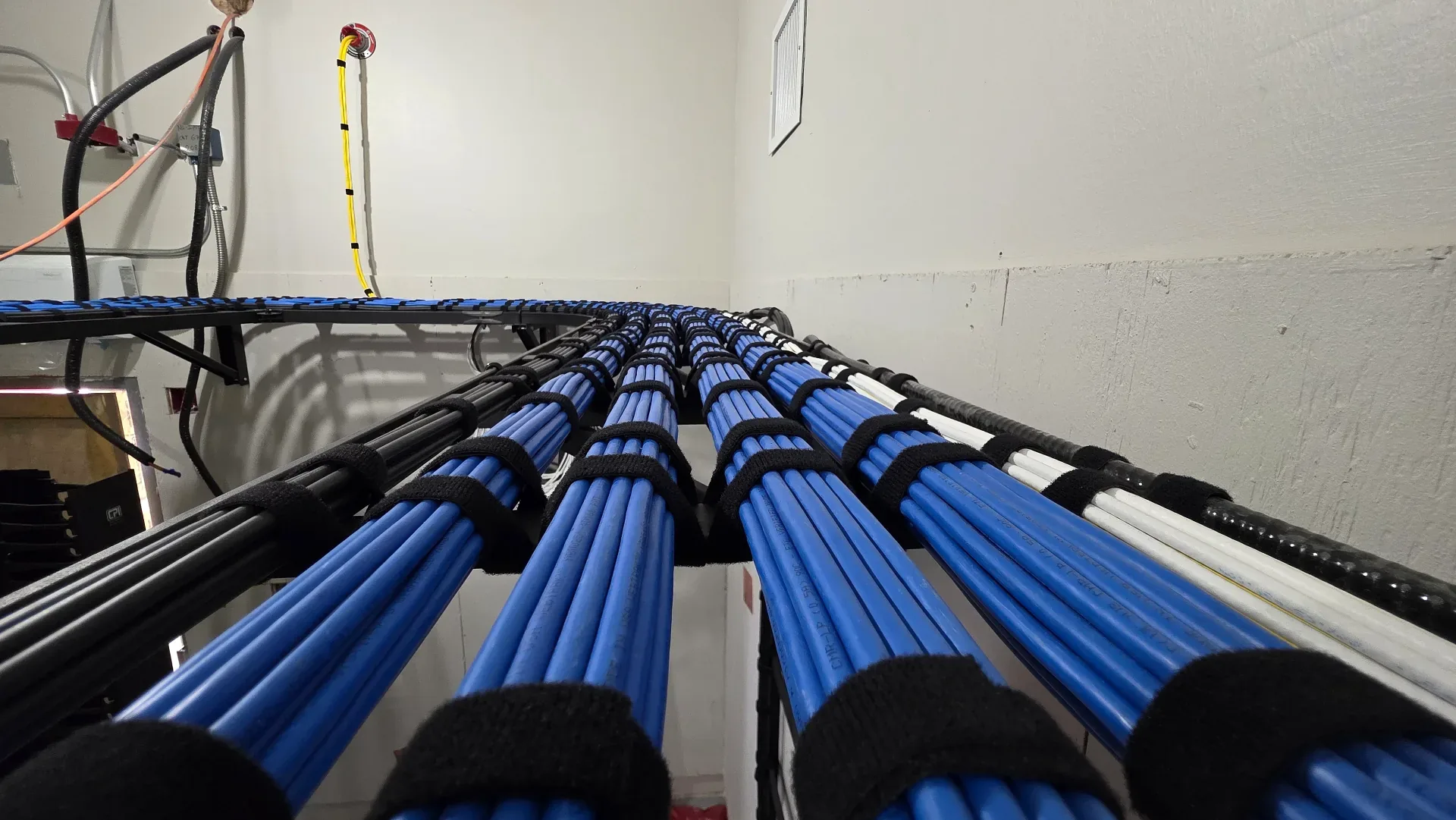
We default to blue for data drops, orange for cameras, and green for access points — but match whatever convention the client already uses. Open any ceiling tile and every cable tells you what system it serves. No toner, no guessing.
Switch & Rack Organization
All cables terminate to labeled patch panels with horizontal cable managers between every panel. Patch cables match the color coding. Your rack looks like a diagram, not a pile of spaghetti. Anyone can identify any connection in seconds.
As-Built Documentation
A digital port map showing every cable, every device, every switch port. Wall jack ID matches patch panel port. Camera names match the security system. AP names match the WiFi controller. One document ties the entire network together.
Frequently Asked Questions
Yes, and this is where a single contractor covering the full region has real advantages. Multi-location projects get consistent documentation, consistent labeling standards, and consistent cable spec across all sites — so your IT team isn't dealing with three different contractors' approaches when troubleshooting. Multi-county projects are managed from a single point of contact with unified project reporting.
The Fluke DSX generates a pass/fail certification report for every cable run, measuring insertion loss, return loss, NEXT, FEXT, and other parameters against TIA-568 channel specifications. It's the only objective proof that your cabling plant performs to spec. Without it, you're relying on the installer's word. With it, you have a documented baseline that's useful if performance issues arise, required by some warranty programs, and expected by any competent IT team taking over a new building.
The terms are widely used interchangeably, and in most commercial contexts they mean the same thing — copper cable runs that carry Ethernet signals to devices. If there is a distinction, it's in scope: data cabling sometimes refers specifically to workstation drops, while network cabling more often describes the full cable plant including cameras, access points, VoIP phones, and other IP devices. Either way, the physical installation, standards (TIA-568), and testing methods are identical.
Color coding lets anyone identify which system a cable belongs to without tracing it. Most installs use a single cable color — all blue is the most common. On multi-system buildouts where cameras, access points, and data drops all run to the same rack, color coding becomes more useful: blue for data, green for access points, orange for cameras is one common convention. If a client already has a scheme, we match it. When your IT team opens a ceiling tile two years from now, the cable should identify itself without guesswork.
That depends on two things: the AP model and the building's construction. Every access point has a rated coverage area, but that number assumes open air — concrete block walls, metal studs, and dense cubicle environments reduce it significantly. The right answer starts with knowing what AP is going in and then accounting for wall material and layout. A WiFi survey or AP vendor recommendation gives you a real number for your specific building. We cable for the AP locations once they're determined, and can add drops later if coverage adjustments are needed.
Yes. Cameras and computers can share the same cable infrastructure — Cat6 or Cat6A handles both. Where they differ is power: cameras typically run on PoE from a dedicated NVR switch or PoE injector, while workstations connect to a standard data switch. Keeping them on separate patch panel sections keeps the install organized and makes it easier to service either system without touching the other.
Power over Ethernet delivers electrical power through the data cable itself. Cameras, WiFi APs, VoIP phones, and access control readers all use PoE so they don't need separate power outlets. The cable quality matters because PoE generates heat in the cable bundle. Cat6a handles this better than Cat6, especially in tight bundles with 20+ cables.
Exterior runs need UV-rated cable jacket (or conduit) to resist sun damage, weatherproof junction boxes at the camera location, and drip loops to prevent water from following the cable into the building. We seal every penetration point and use weatherproof connectors. Interior-rated cable jacket exposed to sunlight breaks down significantly faster than UV-rated jacket — typically within a few years depending on sun exposure.
Yes. Every project includes a port map document. It shows each wall jack ID, the corresponding patch panel port, the switch port, and the device connected. Camera locations include mounting height and angle notation. AP locations include ceiling tile coordinates. Your IT team, security vendor, and WiFi provider can all use the same document.
Yes. New cables work alongside existing cables without any issues — the two can share a patch panel, connect to the same switch, and run on the same network without any problem. Existing cables only need to be tested if the client is experiencing connectivity issues or suspects a specific run is causing problems. Otherwise, leave what's working alone and add what's needed.